Home / Power, chargers and cables
Why USB-C cables are not all the same
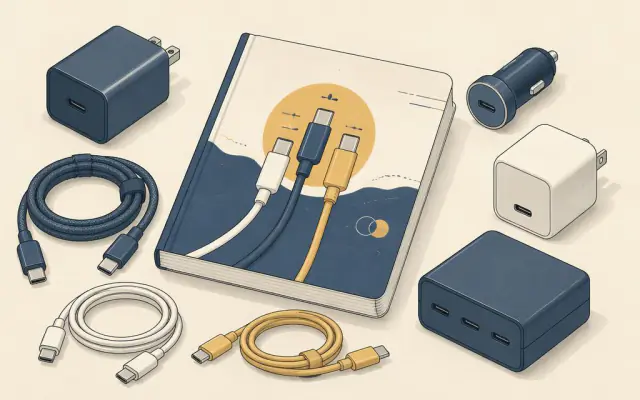
Every USB-C cable has the same oval plug at both ends, so it is natural to assume they are interchangeable. They are not. Two cables that look identical can differ by a factor of sixteen in charging power and nearly two hundred in data speed. The good news is that once you know the three things that vary, choosing the right cable is easy.
1. Charging power: 60 W, 100 W or 240 W
USB-C cables carry either 3 amps or 5 amps.
- A standard 3 A cable carries up to 60 W (20 V × 3 A). That is enough for phones, tablets and many thin laptops.
- A 5 A cable contains a small chip called an e-marker that tells the charger it can safely carry more current. It supports up to 100 W (20 V × 5 A).
- A 240 W cable supports the newer Extended Power Range (EPR), which raises the voltage to 48 V for large laptops. It also needs an e-marker.
A 100 W charger connected with a 3 A cable will quietly cap at 60 W. If your laptop charges slowly or shows a "slow charger" warning, the cable is the first thing to check.
2. Data speed
| Marking | Speed | Typical use |
|---|---|---|
| USB 2.0 | 480 Mbps | Charging, keyboards, phone sync |
| USB 5Gbps (USB 3.2 Gen 1) | 5 Gbps | External hard drives |
| USB 10Gbps (USB 3.2 Gen 2) | 10 Gbps | External SSDs |
| USB 20Gbps (USB 3.2 Gen 2x2) | 20 Gbps | Fast SSDs on supported ports |
| USB4 40Gbps / Thunderbolt 3 or 4 | 40 Gbps | Docks, fast storage, high-resolution displays |
| USB4 80Gbps / Thunderbolt 5 | 80 Gbps | Newest docks and storage |
Most cheap and long charging cables are USB 2.0 inside. They charge fine but transfer files slowly and cannot carry video. That is why a new portable monitor or dock often shows "no signal" with the cable from a phone box.
3. Video
Video over USB-C (DisplayPort Alternate Mode) needs the high-speed wires found in USB 5Gbps cables and above, as well as a port that supports it. Any full-featured USB4 or Thunderbolt cable will carry video.
Length matters
Fast data is hard over long distances. Passive 40 Gbps cables are usually limited to about 0.8 to 1 m. Longer cables at that speed need active electronics and cost more. For charging only, 2 m cables are easy to find at 100 W.
Reading the markings
Since 2022, USB-IF certified cables use simple logos that show the wattage (60 W or 240 W) and, for data cables, the speed (for example "USB 40Gbps"). Thunderbolt cables carry a lightning-bolt symbol and number. Uncertified cables may print the same numbers without testing, so buy from brands that state the specification clearly.
What to buy
- For charging a phone and earbuds: any decent 3 A cable.
- For a laptop above 60 W: a 100 W or 240 W (5 A, e-marked) cable.
- For monitors, docks and fast SSDs: a short USB4 or Thunderbolt cable. It handles everything, including 100 W or more of charging.
- For travel: one 2 m, 100 W cable for the bedside and one short full-featured cable for everything else.
Label your cables with a small tag or coloured band once you know what each one does. It saves a lot of guesswork later. For how chargers and devices agree on power, see USB-C Power Delivery wattage explained.