Portable monitors: what to check before you choose
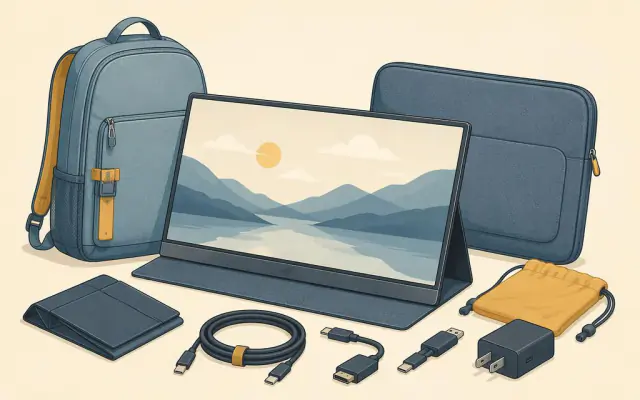
A portable monitor is a thin screen, usually 13 to 17 inches, that connects to a laptop, phone, tablet or games console. Travelling workers use them as a second screen; people in small flats use them as a monitor that can go back in a drawer. They are simple products, but a few details decide whether yours works with one cable or turns into a tangle.
The connection: the part that matters most
The ideal setup is one USB-C cable from your laptop to the monitor that carries both picture and power. That works only if the laptop's USB-C port supports video output, known as DisplayPort Alternate Mode (DP Alt Mode), or is a Thunderbolt or USB4 port.
How to check:
- Look for a small DisplayPort symbol (a rectangle with a notch) or a lightning bolt next to the port.
- Check the laptop's specifications for "DisplayPort over USB-C", "Thunderbolt" or "USB4".
- If the port only says "USB 3.2" or nothing at all, it may be data-only. You will then need the monitor's mini-HDMI input plus a separate power cable.
Phones vary: many recent Samsung Galaxy and other Android phones support video out over USB-C, as do recent iPhones with USB-C, but plenty of mid-range phones do not.
Power
A 15.6-inch monitor typically draws 5 to 10 watts. Over one cable, the laptop supplies that power, which drains its battery faster. Most portable monitors have a second USB-C port so you can plug in the laptop charger and pass power through to the laptop. Check the pass-through wattage if you have a power-hungry laptop.
Size and resolution
- 15.6 inches at 1920 × 1080 is the most common and the best balance of weight (around 600 to 800 g), price and sharpness.
- 13.3 to 14 inches suits small bags and pairs well with 13-inch laptops.
- 16 to 17 inches at 2560 × 1600 gives more room for spreadsheets and editing, but adds weight and draws more power.
- 4K at 15.6 inches is sharp but expensive and power-hungry; the benefit is small for office work.
Brightness and finish
Brightness is measured in nits (candela per square metre). Many budget portable monitors are around 250 to 300 nits, which is fine indoors but dim beside a sunny window. Look for 350 nits or more if you work in bright cafés or trains. A matte (anti-glare) surface handles reflections better than glossy glass.
Panel type
IPS panels have good colours and viewing angles and are the standard choice. OLED models offer deep blacks and vivid colour but cost more and can show burn-in with static elements such as taskbars over long periods. High refresh rates (120 or 144 Hz) matter mainly for gaming.
Stand and protection
Most monitors come with a folding cover that doubles as a stand, often allowing only a couple of angles. A built-in kickstand is steadier and allows portrait orientation. A cover that protects the screen in your bag is essential; the panel is thin and easy to crack.
Quick checklist
- Your laptop's USB-C port supports DisplayPort Alt Mode, Thunderbolt or USB4.
- 15.6-inch, 1080p, at least 300 nits for general use.
- Two USB-C ports for power pass-through, plus mini-HDMI as a backup.
- A stand that holds the angle you like and a cover that protects the screen.
- Weight under 800 g if it travels in a backpack every day.
Pair it with the right cable: a cheap charge-only USB-C cable is the most common reason a new monitor shows "no signal". See why USB-C cables are not all the same.