Using a mini PC as a home media server
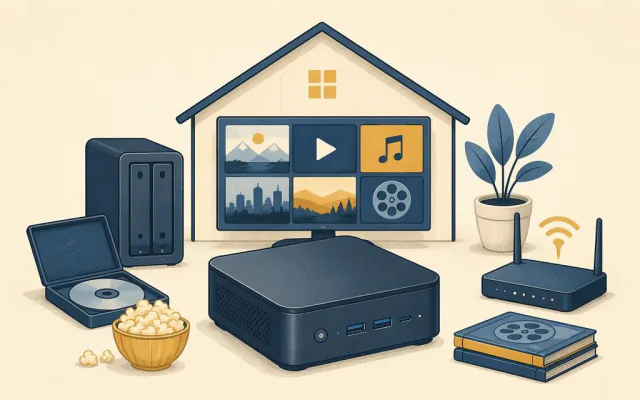
A small, quiet mini PC makes an excellent home media server. It can store your films, series, music and photos in one place and stream them to TVs, phones and tablets around the house, using less electricity than a single light bulb when idle. Here is what you need and how to set it up.
Why a mini PC suits the job
A media server spends most of its life waiting. Entry-level processors such as Intel's N-series idle at a few watts, run silently or close to it, and include hardware video engines that convert video formats on the fly without breaking a sweat. Compared with a dedicated network storage box, a mini PC is often cheaper for the same performance and runs any software you like.
Hardware checklist
- Processor with hardware transcoding. Intel chips with Quick Sync are the most widely supported option for converting 4K and HEVC video in real time. Recent AMD chips work too, with somewhat less consistent support in media software.
- 8 to 16 GB of memory. Enough for the media software plus a few extra services.
- Wired Ethernet. Streaming high-bitrate 4K files over Wi-Fi to several TVs at once is where problems start. Plug the server into your home network with a cable; 1 Gb is fine, 2.5 Gb is a bonus.
- Storage. Keep the operating system on the internal NVMe drive. For the library, use a large internal 2.5-inch drive if there is a bay, or an external USB drive or multi-bay enclosure connected by USB 3 or faster.
Software options
The two best-known media server programs are Plex and Jellyfin.
- Plex is polished, has apps on almost every TV and device and handles remote streaming well. Some features, including hardware transcoding, require a paid Plex Pass.
- Jellyfin is free and open source, with no account required and all features included. Its apps are less polished on some TV platforms, but it is improving quickly.
Both scan your folders, download artwork and descriptions automatically and remember where you stopped watching. You can run them on Windows, but many people prefer a lightweight Linux install for a box that runs for months without attention.
Setting it up
- Organise your files first. Use one folder per type (Films, Series, Music) and name files clearly, for example "Film Title (Year)". Series work best as "Show Name/Season 01/Show Name S01E01".
- Install the server software and point it at your folders.
- Turn on hardware transcoding in the settings and confirm it is working by playing a 4K file on a phone; the dashboard shows whether the conversion is done by hardware.
- Install the app on each TV or streaming stick and sign in or connect to the server's address.
- Set the server to start automatically after a power cut, using the firmware's "restore on AC power loss" option.
Keeping it reliable
- Back up. A single big drive is a single point of failure. Keep a second copy of irreplaceable photos and music on another drive or cloud storage.
- Update regularly, but not on the evening you plan to watch something.
- Watch the temperature. A box in a closed TV cabinet can overheat; see our cooling guide.
- Remote access with care. If you want to stream away from home, use the media software's own secure remote option or a private network tool rather than opening ports on your home network.
Running costs
A typical N-series mini PC idles at roughly 6 to 10 watts with a drive attached. Running all day and night, that is around 50 to 90 kWh a year, so the yearly electricity cost is usually modest compared with older desktop computers used for the same job.