Mini PC or laptop for a home office?
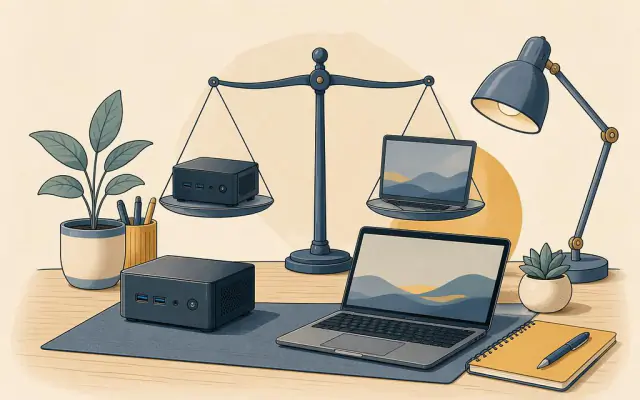
If you work from the same desk most days, a mini PC is worth a serious look. For the price of a mid-range laptop you can often get a faster computer, plus the money left over for a good monitor and keyboard. But a laptop still wins in some situations. Here is how to decide.
Where a mini PC wins
Performance for the money. A laptop's price includes a screen, battery, keyboard, trackpad, speakers and a thin, sealed case. A mini PC skips all of that, so the same budget buys a faster processor, more memory and more storage.
Ergonomics. Working on a laptop screen at desk height bends your neck. Most people who work from a laptop all day end up getting an external monitor, keyboard and mouse anyway. With a mini PC you start there, and your monitor can sit at eye level on an arm or stand.
Upgrades and repairs. Many mini PCs let you replace memory and storage with a single screwdriver. Laptops increasingly solder both to the board. If a mini PC fails outside warranty, swapping the whole box is cheap; if a laptop screen or keyboard fails, repairs can cost a large share of a new machine.
No battery to wear out. Laptop batteries lose capacity after a few hundred charge cycles. A desk-bound laptop that sits on the charger all day can age its battery faster.
Multiple screens. Two or three monitors are routine on a mini PC with two HDMI ports and a USB-C display port. On many laptops you need a dock.
Where a laptop wins
You move around. If you work from the sofa, the kitchen table, a café or the office two days a week, portability beats everything else. Carrying a mini PC means carrying a screen and keyboard too.
Power cuts. A laptop's battery acts as a built-in backup supply. A mini PC turns off instantly when the power goes, so save often or add a small uninterruptible power supply.
Video calls anywhere. A laptop has a webcam, microphone and speakers built in. A mini PC needs a separate webcam and a headset or speakerphone.
The real cost comparison
When comparing, price the complete setup:
| Setup | What you buy |
|---|---|
| Mini PC desk | Mini PC, monitor, keyboard, mouse, webcam, headset |
| Laptop desk | Laptop, and usually a monitor, keyboard, mouse and stand or dock |
| Laptop only | Laptop (lowest cost, worst ergonomics for all-day use) |
If you already own a monitor, keyboard and mouse, the mini PC route is usually the cheaper way to get a fast work computer.
A hybrid that works
Many people keep an older or cheaper laptop for travel and meetings, and use a mini PC as the main work machine. With files in cloud storage or synced folders, switching between them takes seconds, and each device does what it is best at.
Quick decision
- Same desk most days, own peripherals or plan to buy them: mini PC.
- Work in several places every week: laptop, plus a monitor at your main desk.
- Unsure: a mid-range mini PC and a modest laptop can cost about the same as one high-end laptop.
If you go the mini PC route, start with how to choose a mini PC and then the small-room desk guide.