Setting up a desk in a small room
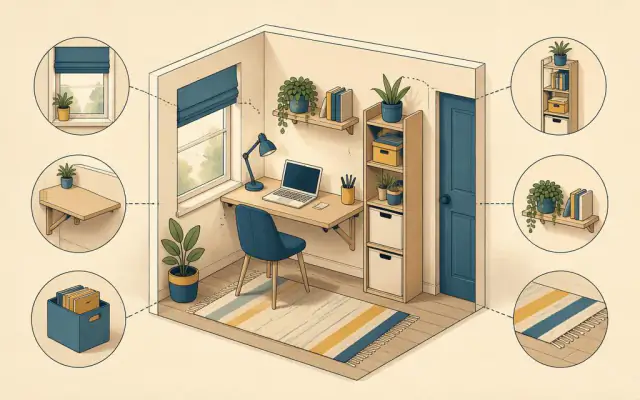
A home office does not need a spare room. A well-planned desk in a corner, an alcove or even a hallway nook can be just as comfortable as a full study, provided you plan for posture, light and storage from the start. Here is how to do it.
Measure first
Decide where the desk will go and measure the width, depth and the space you need to pull a chair out (allow about 75 cm behind the desk edge). A useful minimum for a laptop plus external monitor is about 100 cm wide and 50 cm deep. A single monitor on an arm can work on a desk as shallow as 40 cm, because the screen does not need to sit on the surface.
Choose the right kind of desk
- Wall-mounted folding desks fold flat when you are not working, freeing the floor. Best for occasional use.
- Narrow ladder desks lean against the wall and add shelves above the work surface.
- Corner desks use space that is otherwise wasted.
- Compact height-adjustable desks are now available in widths around 100 cm, letting you alternate between sitting and standing without needing a big frame.
If the desk lives in a bedroom, choose something that looks like furniture rather than office equipment, so the room still feels like a place to rest.
Get the posture right
A small desk is still a desk you sit at for hours.
- Screen at eye level. The top of the screen should be roughly at or just below eye height, about an arm's length away. A monitor arm or stand lifts it and frees desk space underneath.
- Elbows at about 90 degrees with shoulders relaxed. If the desk is too high, raise your chair and add a footrest.
- Separate keyboard and mouse if you use a laptop all day. A laptop on a stand plus a compact keyboard is the most space-efficient comfortable setup.
Use vertical space
On a small desk, the wall is your storage. Shelves above the desk, a pegboard for headphones and cables, and wall-mounted lighting all keep the surface clear. See our guide to vertical storage for options that do not need drilling.
Light
Put the desk side-on to a window if you can, so daylight does not cause glare on the screen or leave your face in shadow on video calls. Add a desk lamp with a warm, adjustable light, or a monitor light bar that clips to the top of the screen and lights the desk without taking any surface space.
Tame cables
Cables make a small desk look cluttered fast.
- Use a single power strip mounted under the desk with adhesive pads or screws.
- Run cables through a cable tray or along the desk leg with reusable ties.
- A USB-C monitor or dock with power delivery can charge the laptop and connect the keyboard, mouse and webcam through one cable. Our portable monitor guide explains what makes single-cable setups work.
Consider a mini PC
If the desk is permanent, a mini PC mounted behind the monitor on a VESA bracket takes up no desk space at all and leaves the laptop free for travel.
Mark the end of the working day
In a small room the desk is always in view. A folding desk, a cloth cover or a simple routine, like closing the laptop and switching off the desk lamp, helps separate work time from home time.